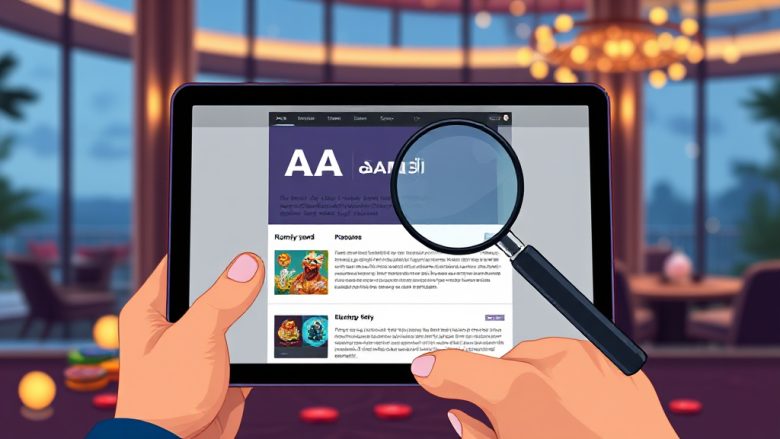
Headline Promises vs Listing Details: Reading AA GAME Online Listings Critically
“Instant Play. Zero Hassle. Endless Fun.” The banner for an AA GAME Online title sounds like everything a player could want, and for a second you believe it. Then you scroll to the listing details and notice the small print: “Requires account creation,” “Region-limited availability,” “In-app purchases for extra tables.” The headline was written to catch your eye; the detail fields were written to tell you what actually happens after the download. That gap between promise and specification is the single most useful thing to learn about any game listing, and it is the subject of this piece.
I have spent enough time browsing game directories to know how often the two layers disagree. A listing can sound like a frictionless card-game paradise while its own metadata quietly says otherwise. The trick is not to stop reading at the headline. It is to read the headline, then immediately hunt for the field that qualifies it. Below are several paired examples, each showing a common headline claim and the detail field that narrows it, followed by a simple reading habit you can apply to any listing you encounter.
Claim One: “Play Instantly” vs the Account and Setup Fields
Few phrases appear more often in game listings than “instant play.” It suggests you tap once and you are in. But when you open the detail panel, the setup fields tell a more layered story. A typical listing might show “Account required: Yes,” “Verification: Email confirmation,” and “First-time tutorial: 3–5 minutes.” None of those things is sinister, but together they mean the word “instant” was doing a lot of heavy lifting.
On directory sites like Rummy Board, this is exactly why the structured fields matter more than the promotional copy. The headline is written by a marketer; the fields are usually filled from the product’s own onboarding flow. When I see “instant” in a title, I now treat it as a prompt to check three things: whether an account is mandatory, whether a tutorial gates the first game, and whether the app requires any download at all. If the listing says “browser-based” and “no download,” the instant claim survives. If it says “mobile app only” and “account required,” the claim has quietly shrunk to “instant after you do four other things first.”
This is not a reason to avoid such games. It is a reason to calibrate. A five-minute setup is fine if you planned for it; it is frustrating if you expected to be playing within seconds. The listing detail is not a warning — it is a schedule.
Claim Two: “Free to Play” vs the Monetization Fields
“Free” is the most elastic word in game listings. I have opened listings with a big free-to-play badge and found a detail field reading “Ad-supported with optional remove-ads purchase,” another reading “Daily play limit unless premium,” and a third reading “In-app currency for cosmetic items.” Each of those is a different kind of free, and the headline does not distinguish between them.
The detail fields do. When I review a listing now, I look for a monetization or pricing row before I trust the word free. If the field says “no purchases,” the claim is clean. If it says “optional purchases,” the game is free in the sense that you can play without paying, but the experience may nudge you toward spending. If it says “subscription required after trial,” then free really means a sample.
Directories that separate these into distinct fields are doing readers a favor, because the distinction is invisible in the headline. A free card game with cosmetic purchases is a very different product from a free card game with a hard daily cap. Both can be good; only one matches what most people mean when they read “free.” The field is where that difference lives, and it is the field you should read first.
Claim Three: “Multiplayer Thrills” vs the Lobby and Region Fields
Multiplayer is another headline favorite, and it is technically true in more cases than you might expect. A listing can honestly say “multiplayer” while the detail fields reveal that matchmaking is limited to certain regions, that rooms require a minimum number of players, or that the multiplayer mode is a separate download from the solo mode.
I once compared two listings side by side. The first shouted “play with friends worldwide” in its summary, but its region field listed three countries and its lobby field noted “private rooms only.” The second had a quieter headline — “online tables for two to six players” — and its fields showed broad regional availability and public matchmaking. The second listing was the more accurate description of a livelier experience, even though the first had the louder promise.
This is where a curated directory earns its keep. On a site like AA GAME Online listings, the region and lobby fields sit next to the description, so you can compare the promise and the constraint in the same glance. The habit to build is simple: whenever you see a social or multiplayer claim, scan for the fields that describe where, when, and with whom that mode actually works.
Claim Four: “Beginner Friendly” vs the Skill and Progression Fields
“Beginner friendly” is a claim about the player, not the game, which makes it especially slippery. A listing can call itself beginner friendly while its detail fields describe a ranked ladder, timed turns, and a tutorial that covers only the absolute basics. The game may still be approachable, but the field tells you what kind of approach is required.
When I see a beginner-friendly headline, I look for three detail fields: whether there is a practice or offline mode, whether ranked play is optional, and whether the rules reference is built into the app or external. A listing that says “practice mode available” and “ranked optional” supports the headline. A listing that says “ranked from first game” and “rules PDF linked” is telling you the friendliness is more aspirational.
None of this is deception in the strict sense. Marketing copy summarizes; detail fields specify. The problem is that most of us read the summary and skip the specification. The fix is to reverse that order for any listing that matters to you — especially when the headline uses a word as subjective as friendly.
Claim Five: “No Download Needed” vs the Platform and Access Fields
Browser-based games have made “no download” a popular headline, and often it is literally true. But the platform fields can still narrow the claim. A listing might say “no download” while its platform row reads “optimized for desktop browsers” and its access field notes “requires modern browser and stable connection.” Another might say “no download” but require a third-party plugin or a sign-in through an external service.
The detail fields are where you learn whether “no download” means “open a tab and play” or “open a tab, install an extension, create a profile, and then play.” For readers who browse on tablets or older phones, the platform field is the one that decides whether the headline applies to them at all. A game that runs beautifully in a desktop browser may be unusable on a mid-range phone, and the listing will usually tell you that in the compatibility row rather than the headline.
This is also where the directory structure helps most. When platform, browser, and access fields are visible together, you can answer the practical question — “will this work on the device I am holding?” — without downloading anything to find out. The headline answers “should I be excited?” The fields answer “can I actually play?”
The Reading Habit: Headline First, Then the Qualifying Field
After enough of these comparisons, a simple habit emerges. Read the headline as a question, not a statement. “Instant play” becomes “instant under what conditions?” “Free” becomes “free with what limits?” “Multiplayer” becomes “multiplayer in which regions and lobbies?” Then go straight to the detail fields that answer the question. The fields are rarely dramatic, but they are almost always honest, because they are structured data rather than persuasion.
This habit changes how you browse. You stop being disappointed by bold headlines because you stop expecting them to be complete. You start treating the listing as two documents in one: a pitch and a specification. The pitch tells you what the game wants to be; the specification tells you what it will be like on your device, in your region, with your schedule. When the two align, you have found a listing you can trust. When they diverge, you have learned something useful before spending any time at all.
Directories are only as useful as the reader’s willingness to look past the banner. The next time an AA GAME Online listing catches your eye with a promise, give it the same treatment: enjoy the headline for a second, then find the field that qualifies it. That small pause is the difference between a hopeful click and an informed one.